See your whole class learn, at a glance
The Goomp Goomp Country teacher’s panel shows where every student is up to, who needs a hand and which words are slipping away, then suggests what to do about it. Most weeks, it takes five minutes.
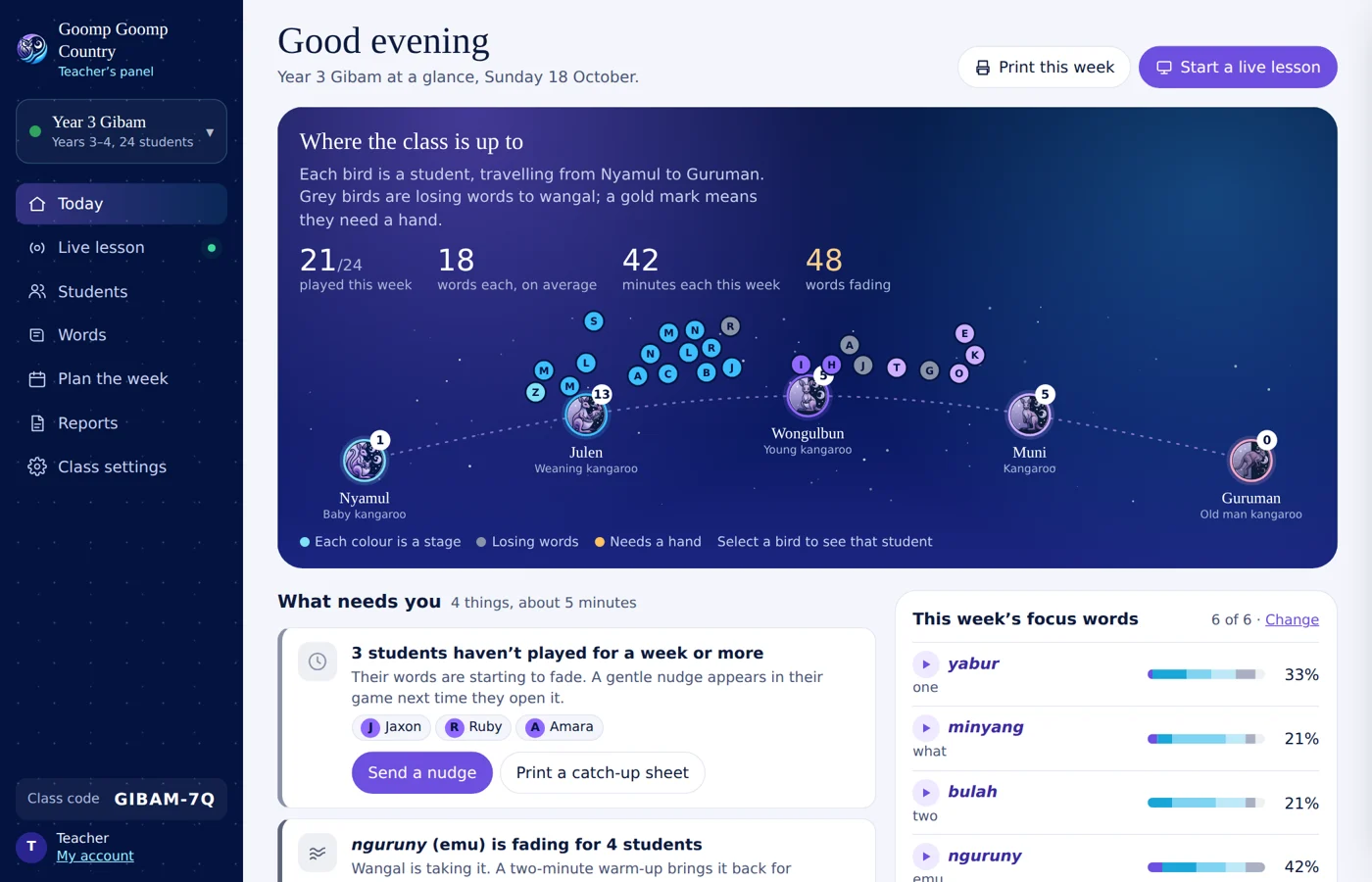
Teachers told researchers the same thing again and again: there is no time to study charts. So the panel tells you what matters and offers the next step.
Every word, every stage and every bird is Yugambeh. You see how well your class knows each word, not just how long they played.
Focus words come straight from the workbook sheet you are teaching, and reports match the curriculum and your marking guides.
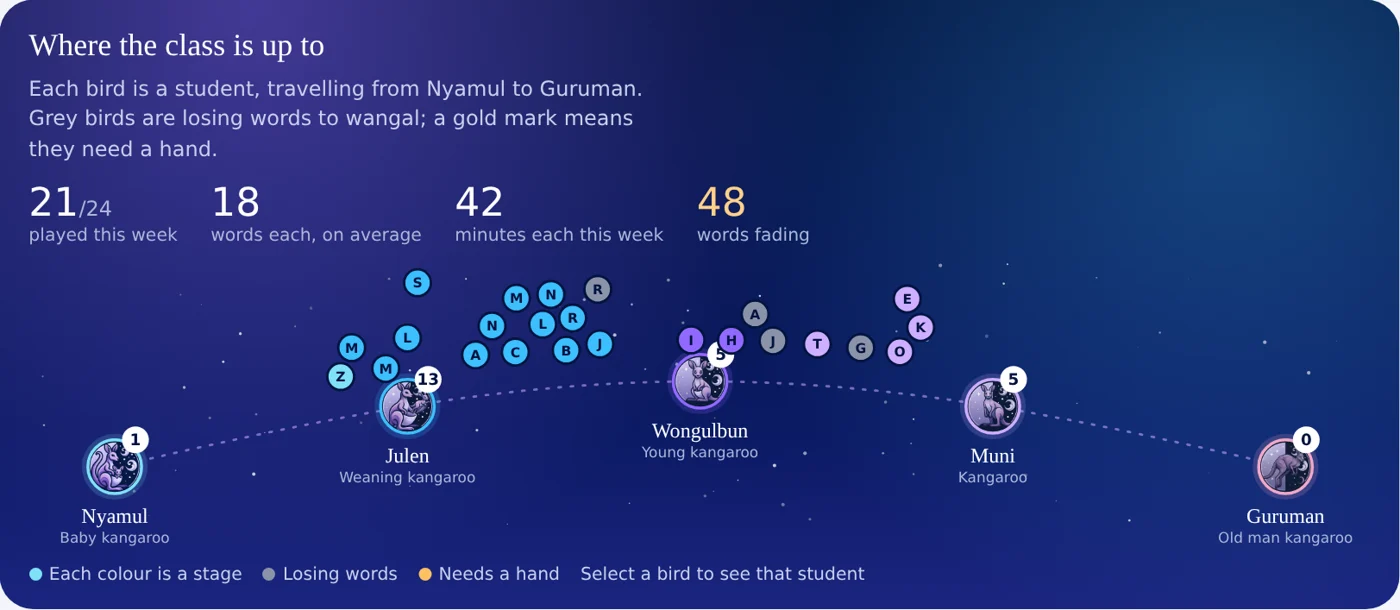
Where the class is up to
Every student is a bird, travelling across the night sky from Nyamul to Guruman, the same five stages as our reading levels. You can see the whole class in one look.
- Grey birds are losing words to wangal, the Forgetting
- A gold mark means a student needs a hand
- Select any bird to see that student
What needs you, and what to do about it
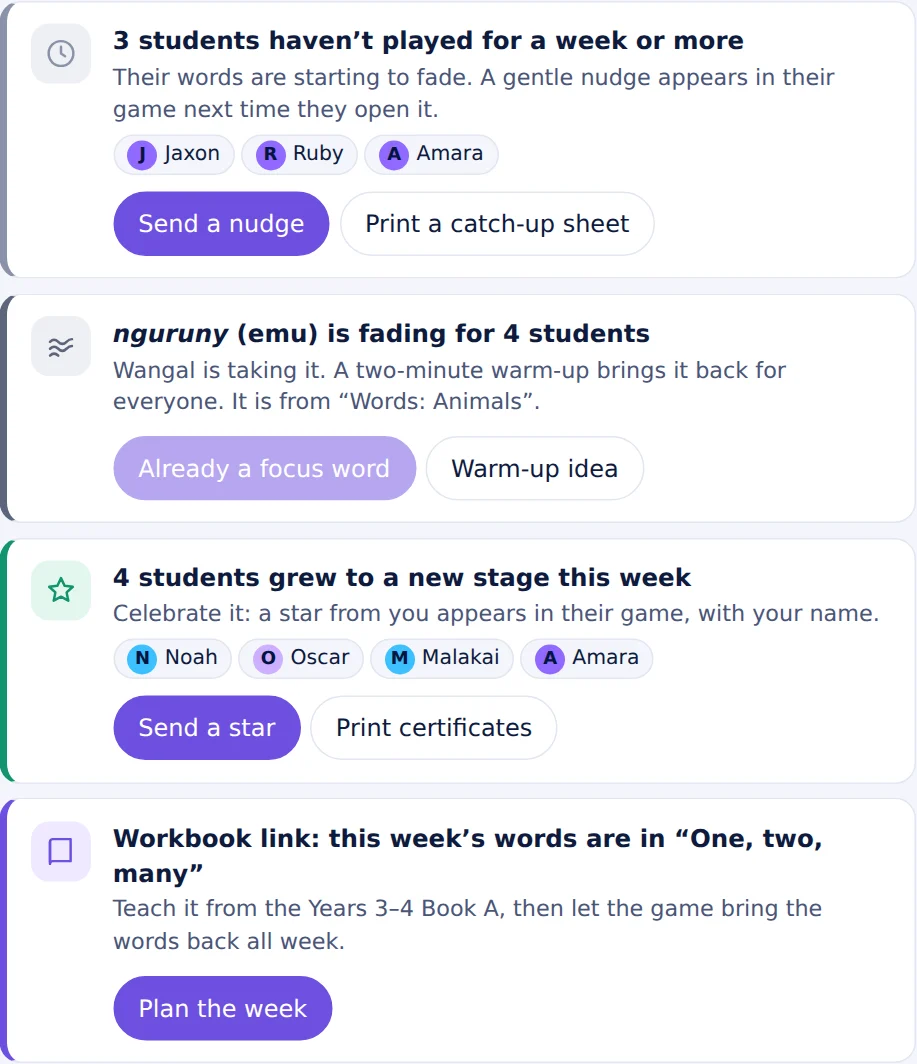
Instead of a wall of numbers, the panel lists the few things that need you this week, with a button for each.
- Students who haven’t played for a week: send a gentle nudge that appears in their game
- Students stuck on a word: get buddy pairs suggested for you
- A word fading across the class: make it a focus word in one click
- Students who grew to a new stage: send them a star
Live lessons
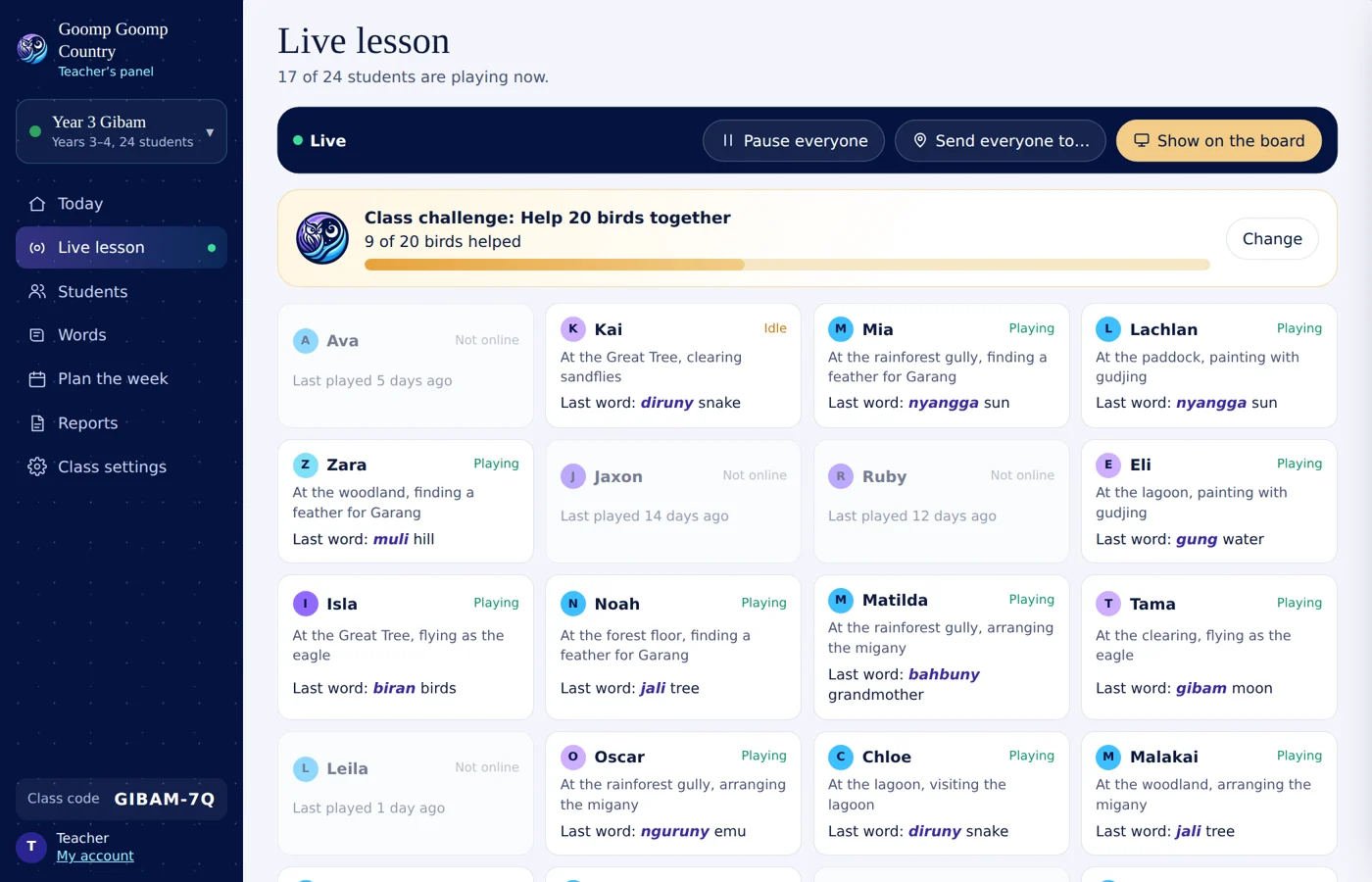
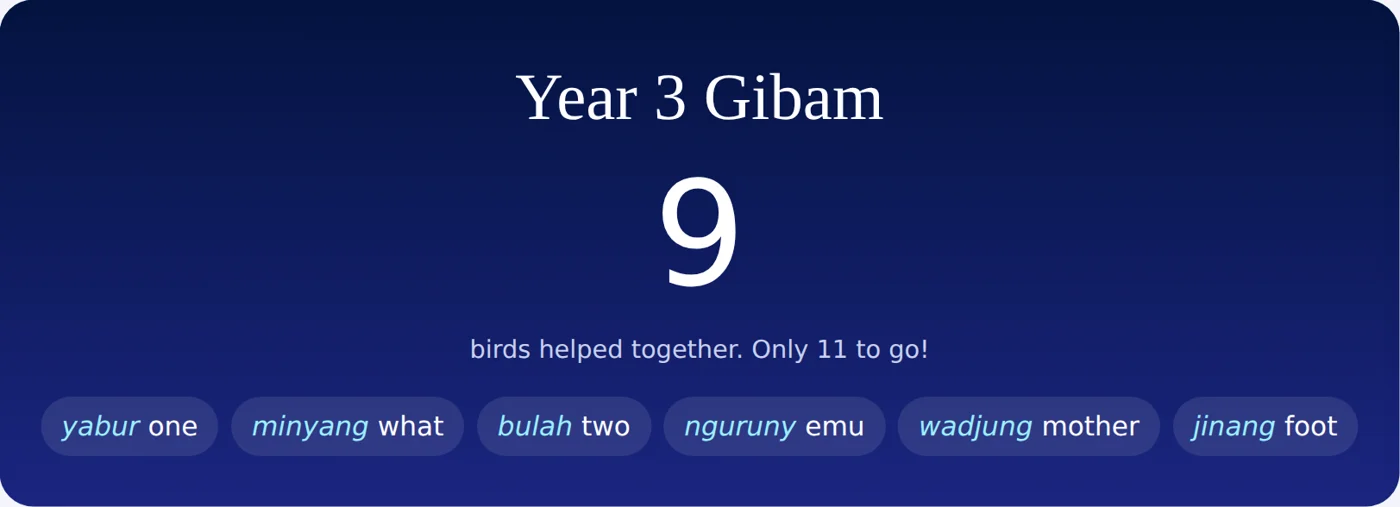
During class, see every student’s screen at a glance: where they are, what they are doing and the last word they met. When someone is stuck, their tile turns gold.
Pause everyone for “eyes on me”, send the whole class to the same place on Country, and show a shared class challenge on the board. The board view shows the class total and this week’s words, never names or rankings.
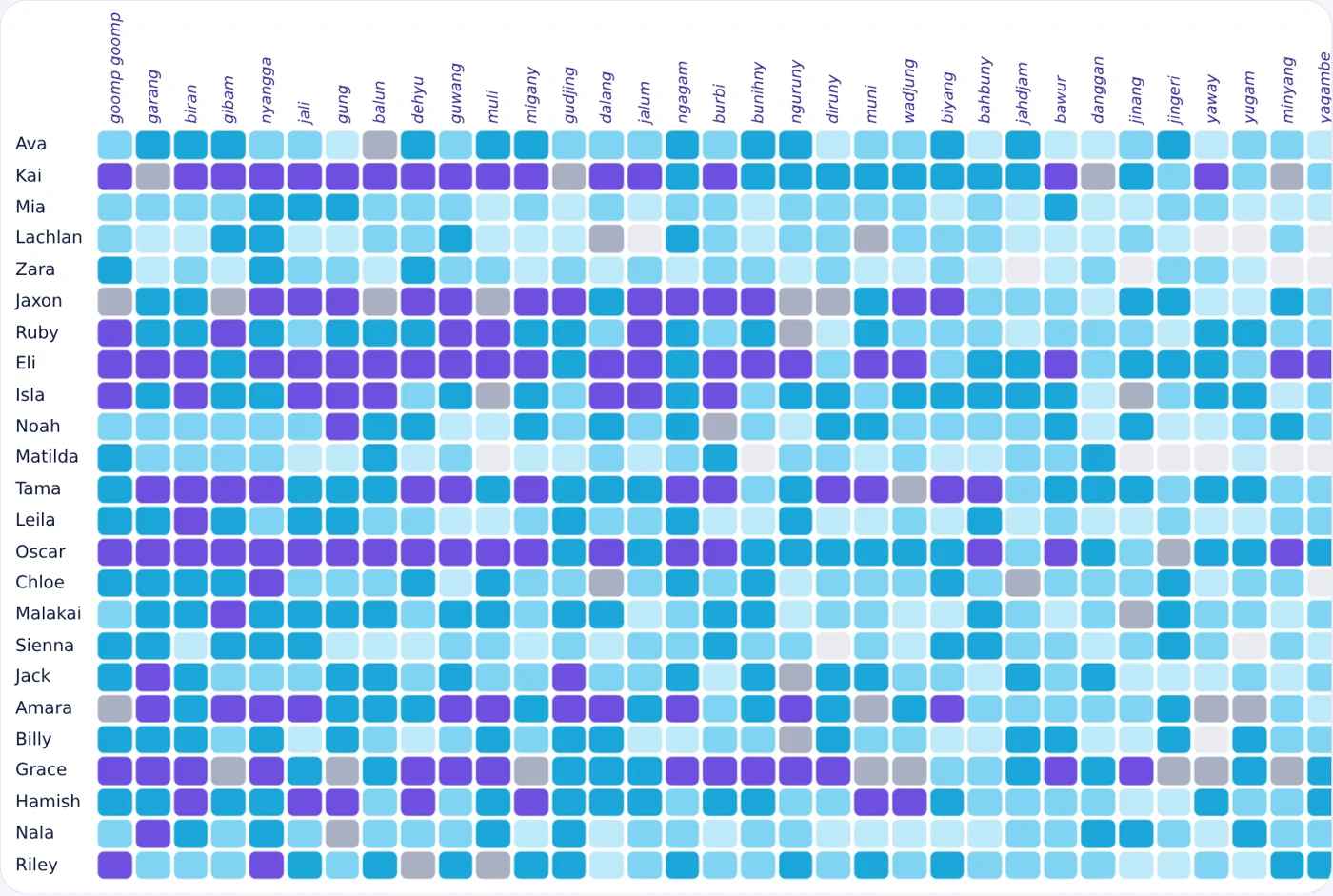
Every word, every student
See how well the class knows each word, from heard it to uses it, and what is fading. Switch to the grid to see every student against every word.
- Choose up to six focus words, and the game brings them back more often for the whole class
- Or press “Choose for me” for the words most at risk
- Hear each word, spoken by a Yugambeh speaker
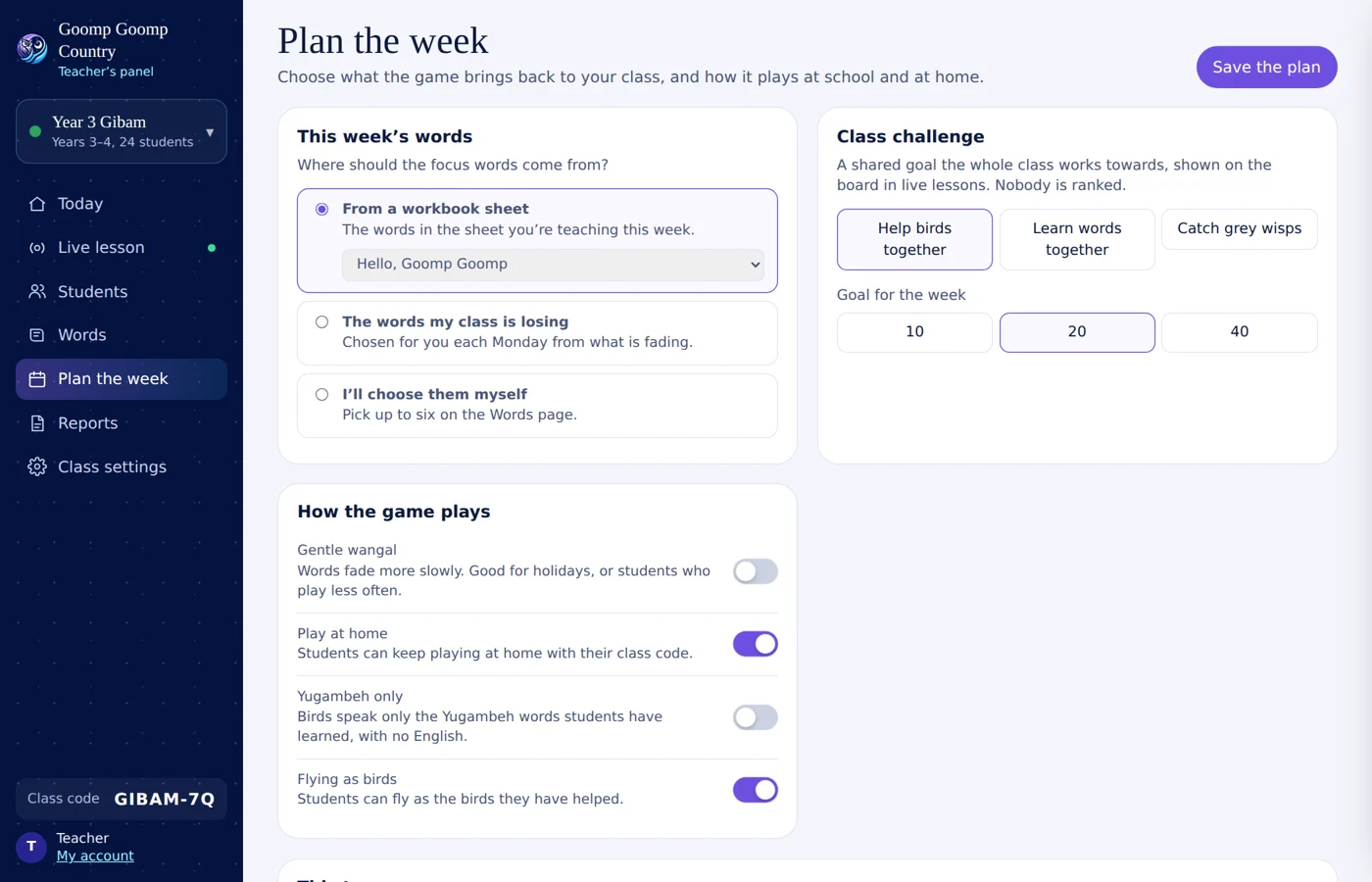
Plan the week in a minute
Choose where this week’s words come from: the workbook sheet you are teaching, the words your class is losing, or your own choice. Set a class challenge, and decide how the game plays.
- Gentle wangal, so words fade more slowly over the holidays
- Play at home, with the class code
- Yugambeh only, for older students
- A ten-week term plan from your band’s workbook
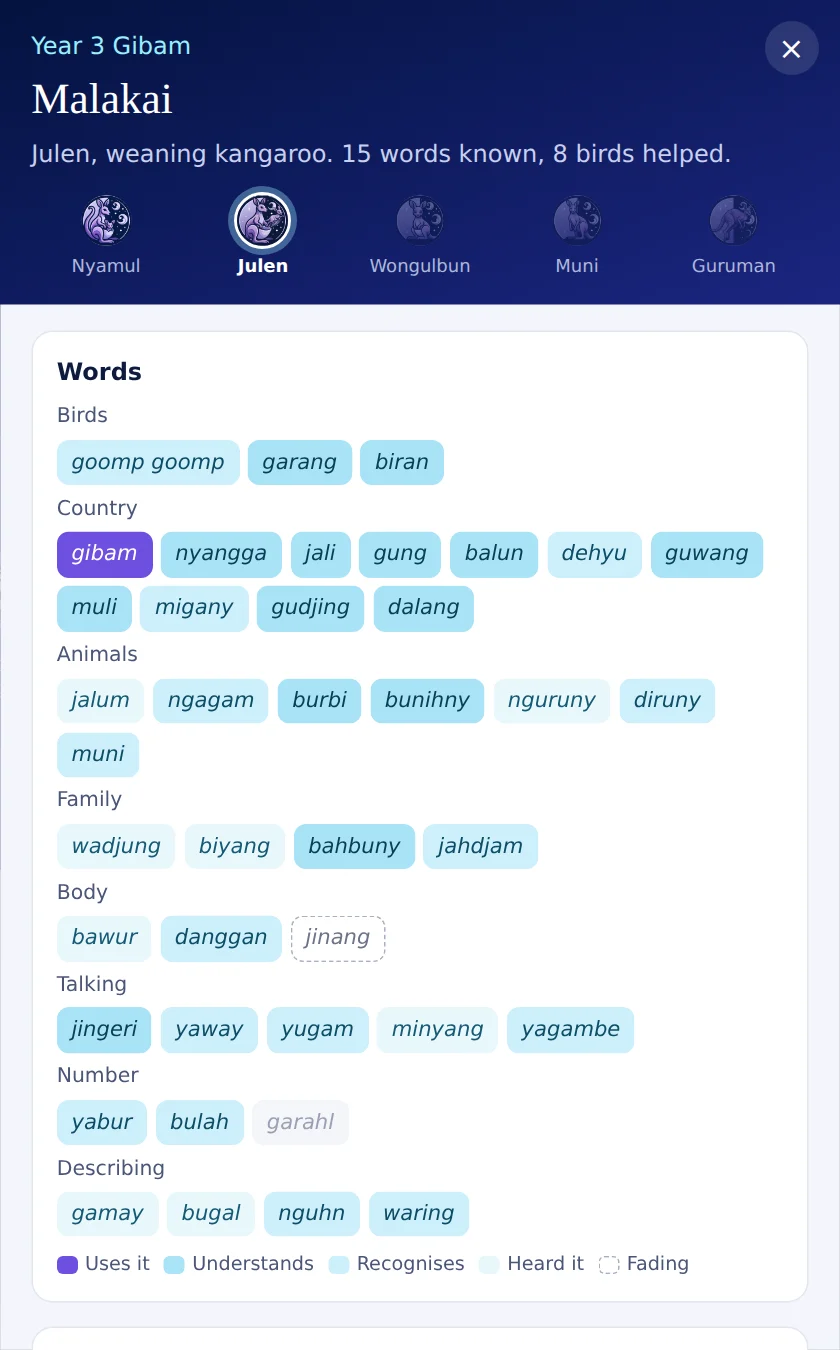
Every student, up close
Open any student to see their stage, every word coloured by how well they know it, their week, and the words to practise at home.
- Speaking practice: if you turn on saving speaking for the class, each student’s recordings come to the panel as evidence for assessment. It is off by default, and students are told when their teacher can hear them.
- Private notes only you can see
- Send a star from you, which appears in their game
- Print a one-page report for their family
Reports, ready when you are
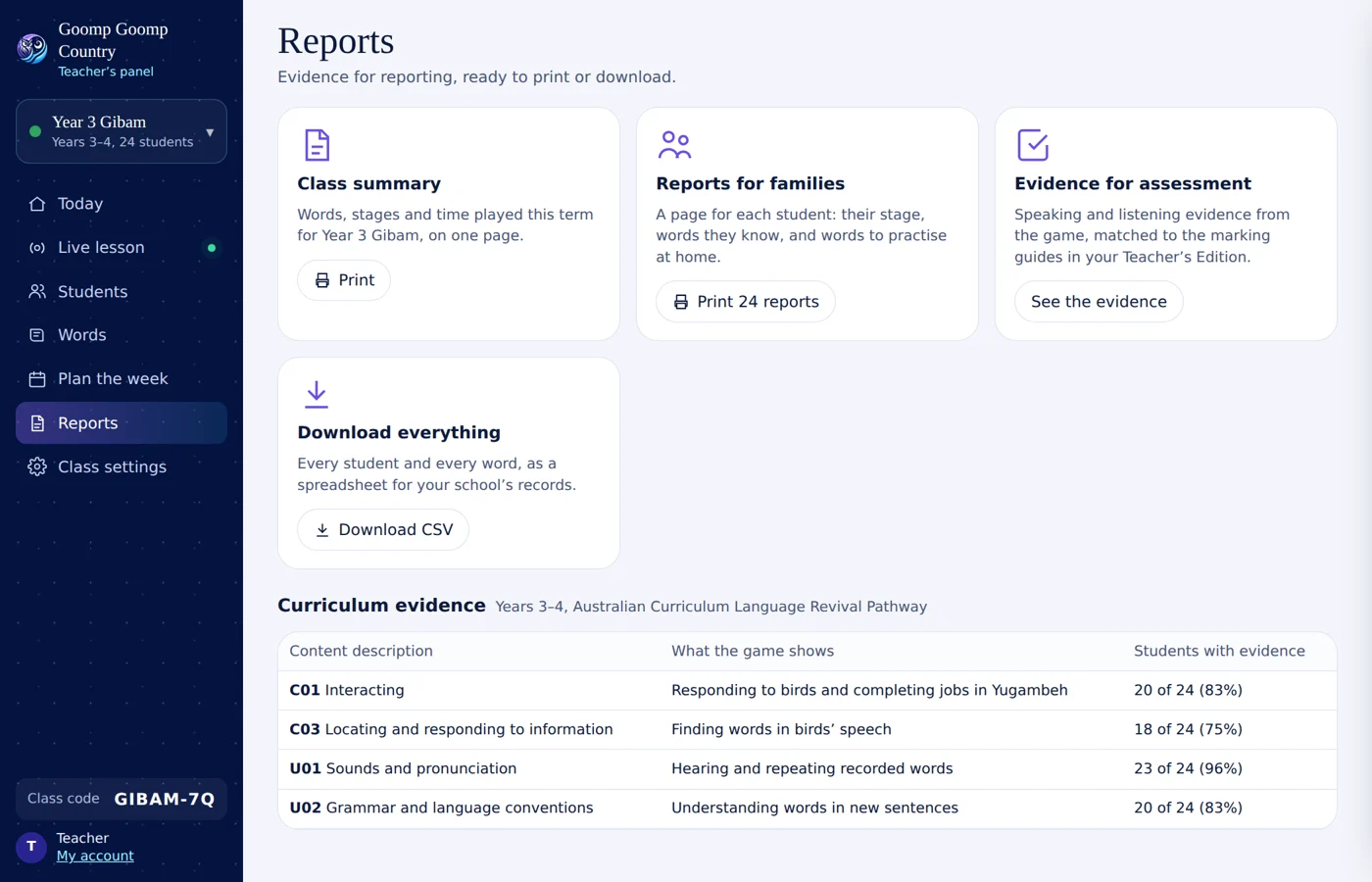
Print a class summary or a page for every family, download everything as a spreadsheet, and see evidence for each content description in the Australian Curriculum.
- Matched to the marking guides in your Teacher’s Edition
- No extra marking: the evidence comes from play
And everything else a teacher needs
The jobs that take the most time, made quicker.
- All my classes: every class you teach on one page, for specialist language teachers
- Lesson tools: word of the day, a quick quiz and a flash round on the board, plus flashcards, a word wall, bingo cards and take-home lists to print
- Login cards and groups: paste in your class list, print a card for each student, and give groups their own words and tasks
- Tasks with due dates: “Help 3 birds by Friday”, and see who has finished
- Assessment and report comments: mark both tasks against the marking guides, then get a draft report comment for every student, written from the comment bank and the game’s evidence
- Adjustments: slower audio, more repetition and more, applied in the game for that student only, with an evidence record for the NCCD
- Families and school leaders: a private family link for each student, a Monday summary email, and a whole-school view for leaders
Students join with a class code and a first name or nickname. No emails, no surnames.
Nothing to buy, nobody to talk to, and nothing distracting in the game.
Your class’s data stays in Australia and is used only to show you their learning.
Remove a student or a whole class at any time.
Try it with an example class
Click around a real panel with made-up students. When you are ready, sign in with your Education account to set up your own class.